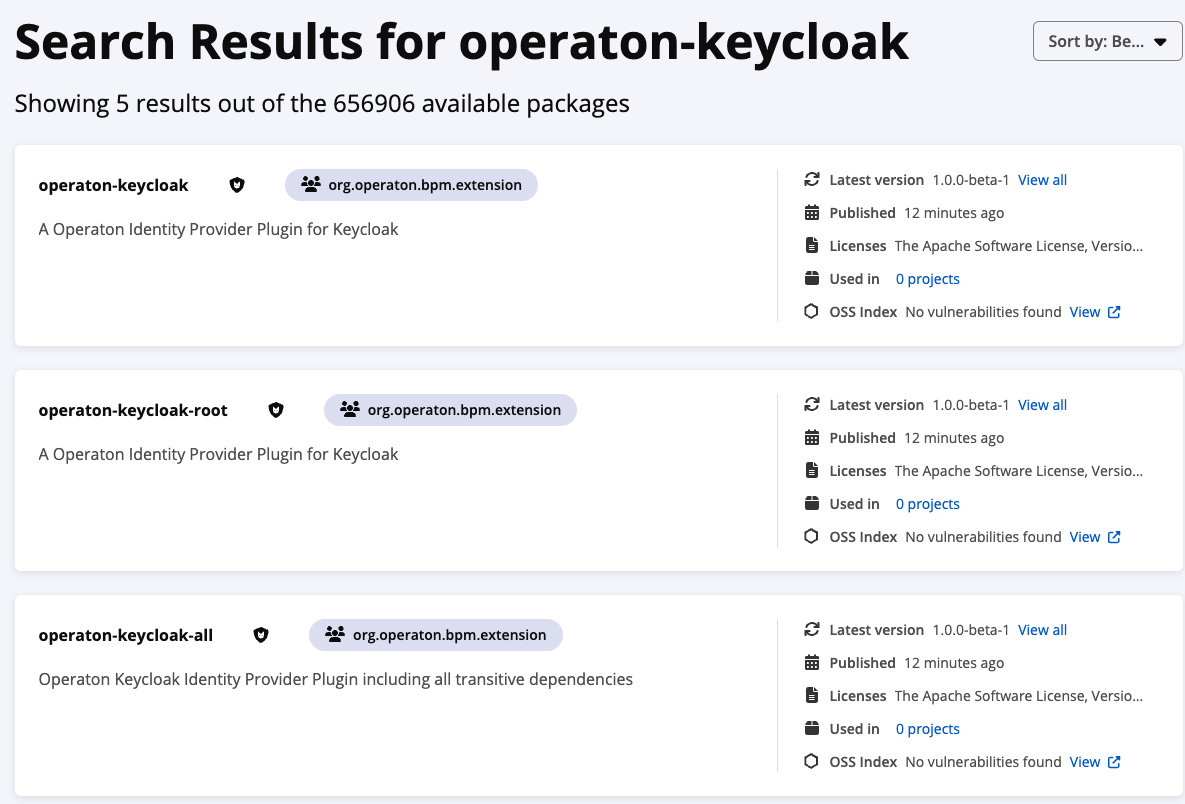
1.0.0-beta-1 is released!
4 Likes
The normal integration tests are running again, but there is also a complete scenario test, that relies on an external docker image gunnaraccso/camunda-showcase-keycloak
This container seems to be a standard Keycloak container - but with a predefined setup of users and groups. It should be possible to create such a container on the fly by using a realm.json similar to operaton-keycloak/examples/sso-kubernetes/src/test/resources/camunda-realm.json at master · operaton/operaton-keycloak · GitHub in the SSO sample’s unit test.
The prefilled Keycloak instance is used within the examples in order to have an easy and reproducable showcase setup - it should not be part of any automated test.
Hi all,
I’m a newbie in Operation and its usage. Sorry for a dummy question. Could you please point me to the getting started/doc for enabling Keycloak identification/authorization in Operaton?
I’m using this docker image: operaton/operaton:1.0.0
The link below
https://operaton.org/operaton-keycloak
gives me 404.
Is it the actual project GitHub - operaton/operaton-keycloak: Operaton keycloak plugin ? Where i could get the doc?
Thanks in advance!
Yes the actual project link is the one you mentioned. The readme contains the documentation. What specifically are you missing?
BTW: Where did you find the URL https://operaton.org/operaton-keycloak ? That is wrong. If you point us to the location we will fix it.
Thanks for the info, @kthoms ! A couple of another high level questions, if you don’t mind.
Is our understanding correct that the plugin is intended to be used as an Identity Provider for:
- Operaton UI (such as cockpit, for example) - end user usage via a browser,
- Operaton REST API (for service2service communications) - a service usage via Keycloak client/secret flow?
Both out of the box?
If so, the customization is in enabling and tuning the plugin (as .jar) in a docker image of Operaton (among Keycloak itself), where Operaton is a standard self boot Spring app?
Or one needs to implement required interfaces in the Operaton project such as public class KeycloakIdentityProvider extends KeycloakIdentityProviderPlugin, rebuild the project from sources and create an Operaton docker image by himself?
Securing REST API calls to Operation from microservices is the most interesting for us. My colleague @Kirill will give more technical details how he tries to setup Operaton and plugin out of the box for now. Any help is highly appreciated.
PS I’ll try to recall where i got the broken link https://operaton.org/operaton-keycloak and inform you - i don’t remember for now.
Hi all!
I work with @Eug in this project.
So there are more technical details :
We’re trying to set up an Operaton-Keycloak integration as follows:
Keycloak docker-compose
services:
keycloak-udar2:
image:  quay .io/keycloak/keycloak:25.0.6
container_name: “keycloak-udar2”
depends_on:
keycloak_db-udar2:
condition: service_healthy
ports:

* “9080:8080”
Operaton docker-compose
services:
operaton:
image: operaton/operaton:1.0.0
container_name: operaton
command: \[“./start.sh”, “–webapps”, “–rest”\]
volumes:

* ./application.yaml:/operaton/configuration/default.yml
* ./configuration/keycloak-filter/operaton-keycloak-run-1.0.0.jar:/operaton/configuration/userlib/operaton-keycloak-run-1.0.0.jar
  environment:
* DB_DRIVER=org.postgresql.Driver
* DB_URL=jdbc:postgresql://operaton_db:5432/operaton
* DB_USERNAME=operaton
* DB_PASSWORD=Operaton
  ports:
* “8780:8080”
We’re using the official Operaton image and mounting the operaton-keycloak-run-1.0.0.jar from: https://central.sonatype.com/artifact/org.operaton.bpm.extension/operaton-keycloak-run/versions
Configuration (default.yaml)
operaton.bpm:
authorization:
enabled: true
filter:
create: All tasks
run:
auth:
enabled: true
cors:
enabled: true
allowed-origins: “\*”
rest:
disable-wadl: false
deployment:
deploy-changed-only: true
example:
enabled: true

spring.datasource:
url: jdbc:h2:./operaton-h2-default/process-engine;TRACE_LEVEL_FILE=0;DB_CLOSE_ON_EXIT=FALSE
driver-class-name: org.h2.Driver
username: sa
password: sa

spring.web.resources:
static-locations: NULL

plugin.identity.keycloak:
keycloakIssuerUrl: http://keycloak-udar2:8080/realms/mpg-2
keycloakAdminUrl: http://keycloak-udar2:8080/admin/realms/mpg-2
clientId: operaton-identity-service
clientSecret: Mys2GDuACPyEsAO02TvkjXDCiwdEbuPf
useUsernameAsOperatonUserId: true
useGroupPathAsOperatonGroupId: true
administratorGroupName: operaton-admin
disableSSLCertificateValidation: true
In Keycloak, we’ve configured the client, users, and groups according to the official instructions: GitHub - operaton/operaton-keycloak: Operaton keycloak plugin
We’re able to obtain a token:
decoded version
{
  "exp": 1768395975,
  "iat": 1768395675,
  "jti": "298de05e-64bb-4471-a934-bd7af10335a2",
  "iss": "http://keycloak-udar2:8080/realms/mpg-2",
  "aud": [
    "realm-management",
    "account"
  ],
  "sub": "80cb89af-d148-43bd-a9b6-6fca3468dd1f",
  "typ": "Bearer",
  "azp": "operaton-identity-service",
  "sid": "e1b8f30d-9810-4ade-a886-65579a55129d",
  "acr": "1",
  "allowed-origins": [
    "http://localhost:8780"
  ],
  "realm_access": {
    "roles": [
      "offline_access",
      "uma_authorization",
      "default-roles-mpg-2"
    ]
  },
  "resource_access": {
    "realm-management": {
      "roles": [
        "manage-users",
        "view-users",
        "query-groups",
        "query-users"
      ]
    },
    "account": {
      "roles": [
        "manage-account",
        "manage-account-links",
        "view-profile"
      ]
    }
  },
  "scope": "email profile",
  "clientHost": "172.26.0.1",
  "email_verified": false,
  "groups": [
    "operaton-admin"
  ],
  "preferred_username": "service-account-operaton-identity-service",
  "clientAddress": "172.26.0.1",
  "client_id": "operaton-identity-service"
}
The problem:
When sending a REST request with this token, we get a 401 error:
curl -v http ://localhost:8780/engine-rest/process-definition
-H “Authorization: Bearer $ADMIN_TOKEN”
Response:
...
HTTP/1.1 401
WWW-Authenticate: Basic realm=“default”
…
Operaton logs show
> 2026-01-15 10:26:35 DEBUG o.a.coyote.http11.Http11Processor - Error parsing HTTP request header
> 2026-01-15 10:26:35 java.io.EOFException: null
> at org.apache.tomcat.util.net.NioEndpoint$NioSocketWrapper.fillReadBuffer(NioEndpoint.java:1333)
> 2026-01-15 11:00:18     at org.apache.tomcat.util.net.NioEndpoint$NioSocketWrapper.read(NioEndpoint.java:1218)
> 2026-01-15 11:00:18     at org.apache.coyote.http11.Http11InputBuffer.fill(Http11InputBuffer.java:780)
> 2026-01-15 11:00:18     at org.apache.coyote.http11.Http11InputBuffer.parseRequestLine(Http11InputBuffer.java:345)
> 2026-01-15 11:00:18     at org.apache.coyote.http11.Http11Processor.service(Http11Processor.java:272)
> 2026-01-15 11:00:18     at org.apache.coyote.AbstractProcessorLight.process(AbstractProcessorLight.java:63)
> 2026-01-15 11:00:18     at org.apache.coyote.AbstractProtocol$ConnectionHandler.process(AbstractProtocol.java:903)
> 2026-01-15 11:00:18     at org.apache.tomcat.util.net.NioEndpoint$SocketProcessor.doRun(NioEndpoint.java:1774)
> 2026-01-15 11:00:18     at org.apache.tomcat.util.net.SocketProcessorBase.run(SocketProcessorBase.java:52)
> 2026-01-15 11:00:18     at org.apache.tomcat.util.threads.ThreadPoolExecutor.runWorker(ThreadPoolExecutor.java:973)
> 2026-01-15 11:00:18     at org.apache.tomcat.util.threads.ThreadPoolExecutor$Worker.run(ThreadPoolExecutor.java:491)
> 2026-01-15 11:00:18     at org.apache.tomcat.util.threads.TaskThread$WrappingRunnable.run(TaskThread.java:63)
> 2026-01-15 11:00:18     at java.base/java.lang.Thread.run(Thread.java:840)
> 2026-01-15 11:00:18 2026-01-15 08:00:18 \[http-nio-8080-exec-10\] DEBUG o.a.coyote.http11.Http11Processor - Error state \[CLOSE_CONNECTION_NOW\] reported while processing request
> 2026-01-15 11:00:18 java.io.EOFException: null
> 2026-01-15 11:00:18     at org.apache.tomcat.util.net.NioEndpoint$NioSocketWrapper.fillReadBuffer(NioEndpoint.java:1333)
> 2026-01-15 11:00:18     at org.apache.tomcat.util.net.NioEndpoint$NioSocketWrapper.read(NioEndpoint.java:1218)
> 2026-01-15 11:00:18     at org.apache.coyote.http11.Http11InputBuffer.fill(Http11InputBuffer.java:780)
> 2026-01-15 11:00:18     at org.apache.coyote.http11.Http11InputBuffer.parseRequestLine(Http11InputBuffer.java:345)
> 2026-01-15 11:00:18     at org.apache.coyote.http11.Http11Processor.service(Http11Processor.java:272)
> 2026-01-15 11:00:18     at org.apache.coyote.AbstractProcessorLight.process(AbstractProcessorLight.java:63)
> 2026-01-15 11:00:18     at org.apache.coyote.AbstractProtocol$ConnectionHandler.process(AbstractProtocol.java:903)
> 2026-01-15 11:00:18     at org.apache.tomcat.util.net.NioEndpoint$SocketProcessor.doRun(NioEndpoint.java:1774)
> 2026-01-15 11:00:18     at org.apache.tomcat.util.net.SocketProcessorBase.run(SocketProcessorBase.java:52)
> 2026-01-15 11:00:18     at org.apache.tomcat.util.threads.ThreadPoolExecutor.runWorker(ThreadPoolExecutor.java:973)
> 2026-01-15 11:00:18     at org.apache.tomcat.util.threads.ThreadPoolExecutor$Worker.run(ThreadPoolExecutor.java:491)
> 2026-01-15 11:00:18     at org.apache.tomcat.util.threads.TaskThread$WrappingRunnable.run(TaskThread.java:63)
> 2026-01-15 11:00:18     at java.base/java.lang.Thread.run(Thread.java:840)
It appears the request doesn’t even reach the plugin.
Due remote debug I see that Operaton uses HttpBasicAuthenticationProvider.class.
My questions:
Is the operaton:1.0.0 image compatible with this plugin?
Is it correct that Operaton uses HttpBasicAuthenticationProvider.class?
Are there any obvious configuration mistakes I might have made?
Any guidance would be greatly appreciated!
@cachescrubber @Julian Can you help here? You are more deep into the usage of the plugin.
The Projekt Link from The Maven Central Web is indeed broken. However, this should not have any impact on the functionality. operaton-keycloak-run is published on maven central successfully. Please browse the directory using this url:
1 Like
Thank you! We use this link now, but still there are questions that I wrote above
Hi Kirill,
we’re using the Spring Boot integration of the keycloak plugin in production. We do not use the run distribution. With the Spring Boot Integration you have control over the whole authorization process. We configured the REST Api there to be a resource server only and disabled the other authentication there.
If you could switch to the Spring Boot based implementation i could help you with the integration and send you our configs as examples. Would that be possible in your project?
Cheers,
Julian
Hi @Kirill,
I’d be happy to look into this (sorry for the late reply), but I’m afraid that due to the complexity of the setup, it is likely that I configure something slightly different from you. Would it be possible to provide a small example of a running repository, so I can try and reacreate this issue?
In the meantime I will look into it and check if I find something – the Operaton distribution is based on Spring Boot, so everything that works by building your own Spring Boot application should work with the distribution you use
I think I might have found the culprit already:
It seems like the authorization config for the standalone distribution has custom authorization configs, which don’t allow for anything else than basic auth. If my understanding is correct, then it is not possible to use it with the Keycloak plugin at the moment. I will try and work out a fix, but this will need code changes, a new release.
Until then you either need to build your own Docker image based on a Spring Boot application or use basic auth for the REST API